
-
 MacOS:
For MacOS (10.13 or higher) the installer is a disk image. Double click on bgb_distr_xyz.dmg after download and
drag the BGBlitz folder to any convenient folder.
If BGBlitz is already installed, select "Replace" (or rename the directory first if you want to keep the old version). Never select "Merge".
I recommend selecting "More Space" under "System Preferences / Displays".
-
 Windows:
Just double click the download and follow the instructions.
If your PC is protected by "Smartscreen" you might see this picture although the download is cryptographically signed:
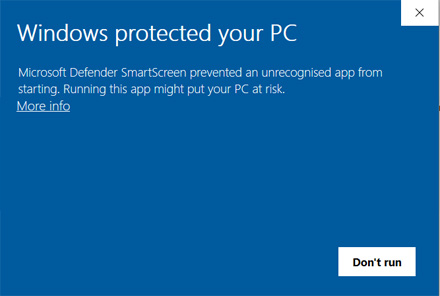
which seems to be an dead end. Just click on "More info" and you will see: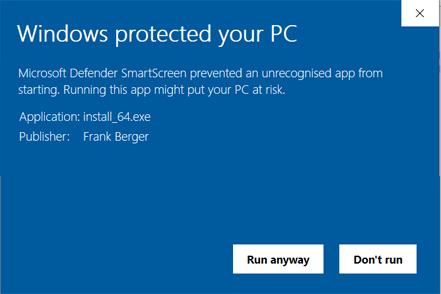
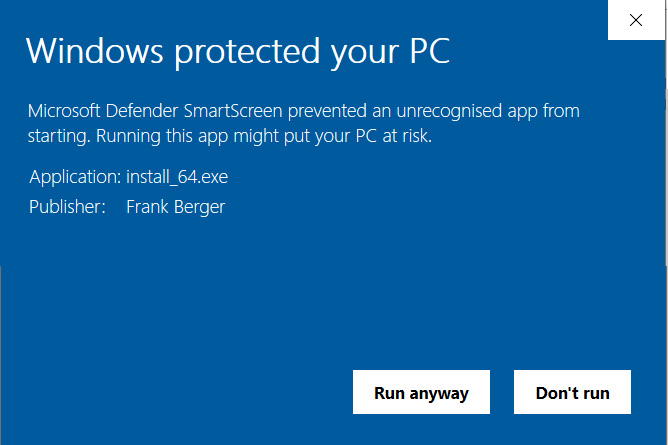
Just press "run anyway" and follow the normal installation instructions.
-
 Linux 4.0 or newer:
If a double click on bgblitz_installer_340.jar or the execution via the context menu does not start the installation, either mark the jar file as executable and try again or open a terminal window in the directory and type
java -jar bgblitz_installer_340.jar
the installation should start then.

- Windows 10 and Windows 11
- Macintosh OS X 10.13 or newer
- Linux 6.0.x or newer
Any PC build in the last 8-10 years should suffice.
About 800 MB free memory and up to 200 MB of disk space are needed.
Naturally a faster CPU, more cores and more RAM never hurts (especially for 4 ply evaluation) ;-)
A resolution of 1280x800 or higher is recommended.